
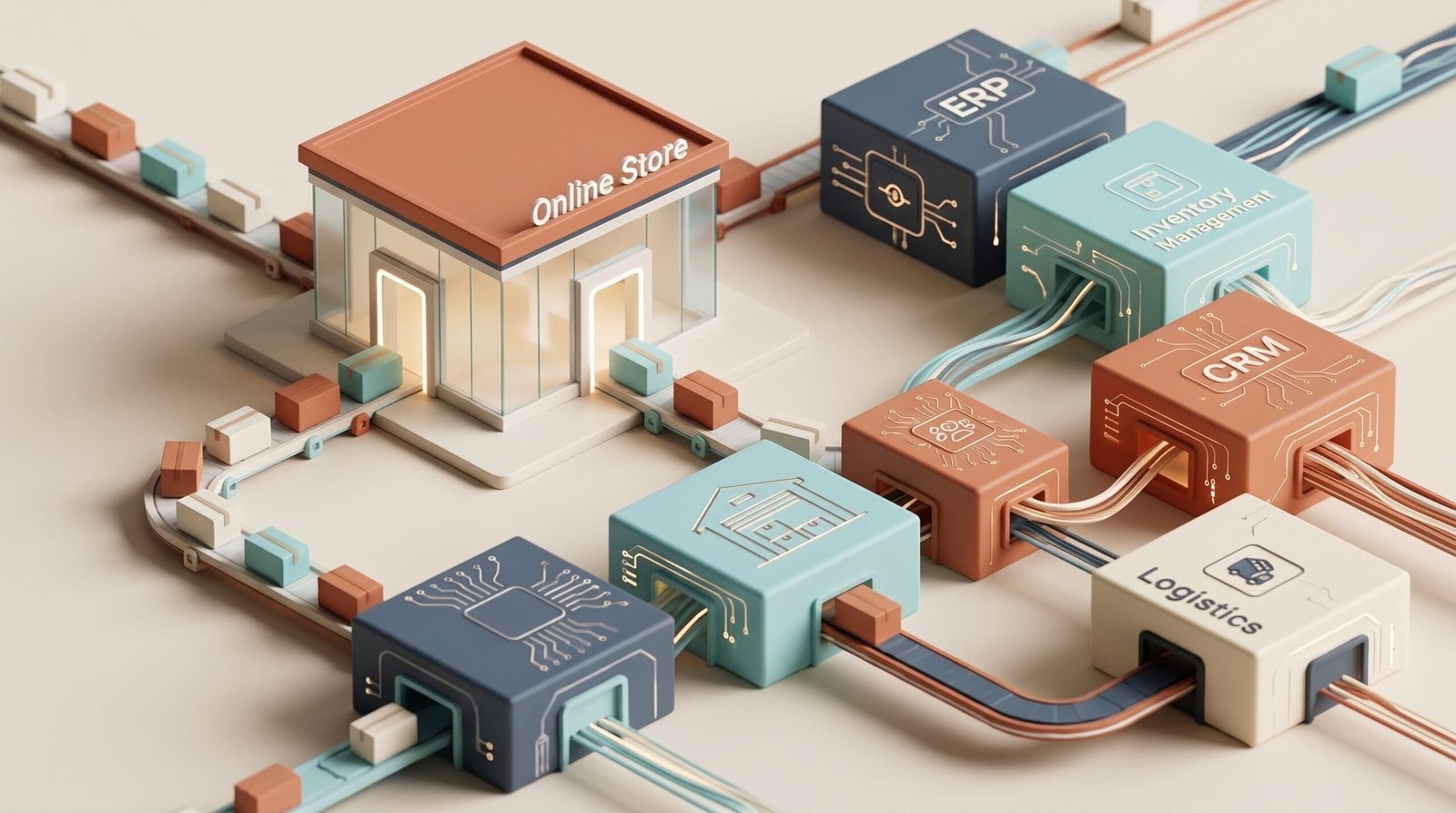
An online store can work perfectly well on its own, but as a business grows, certain limitations quickly become apparent. Orders have to be entered manually, stock levels are not updated on time, customer information is spread across different tools, and invoices require additional administrative work.
The problem is not necessarily the online store itself. Often, the real issue is that the different systems used by the company do not communicate with each other.
Connecting an online store with an ERP, CRM, inventory management system, logistics platform or internal software allows information to move automatically between them. The goal is not simply to "connect systems", but to make business processes work together with as little manual intervention as possible.
What does it mean to integrate an online store with business systems?
Integration means establishing communication between an online store and other systems used by a company so that information can be exchanged automatically.
For example, when a customer places an order, that order can be automatically sent to the company's management system. From there, stock can be updated, the necessary invoicing information can be generated and the order details can be sent to the logistics system for fulfilment.
Instead of someone having to copy the same information several times, each system receives the data it needs.
This communication can be implemented through APIs, connectors, middleware or custom development, depending on the company's requirements and the systems involved.
Which systems can be connected to an online store?
There is no single combination that works for every business. The integration architecture will depend on the business model, transaction volume and tools already in use.
ERP or business management system
One of the most common integrations is connecting an online store to an ERP or business management system.
This can allow information such as products, prices, customers, orders, taxes, invoices and stock levels to be synchronised. The online store and management system can then work with consistent information.
CRM
Connecting an online store to a CRM allows customer information and activity to be managed from a centralised system.
Depending on the project, customer details, orders, purchase history and specific actions carried out in the store can be transferred automatically. This gives sales and marketing teams a more complete view of each customer.
Inventory management
When a company sells through several channels, keeping inventory under control becomes particularly important.
An appropriate integration can synchronise stock levels between the online store and the system responsible for centralising inventory. This reduces the risk of selling products that are no longer available or displaying outdated stock information.
Logistics and shipping
Orders can also be automatically transferred to the systems used to manage warehouses, fulfilment and shipping.
This reduces administrative tasks and improves order traceability from the moment a customer makes a purchase until the order is delivered.
Billing and accounting
An online store generates financial information constantly. Integrating it with billing or accounting systems can eliminate the need to manually enter certain data.
The exact approach will depend on the company's internal processes and the software it uses.
What information should be synchronised?
Integration does not necessarily mean that every system needs access to all the information generated by the business.
In fact, one of the most common mistakes is trying to connect everything from the beginning without first defining what information each system actually needs.
Before developing an integration, it is worth identifying the information flows that are genuinely necessary.
- Products: references, names, descriptions, categories, prices and other attributes.
- Stock: available quantities and, when necessary, stock by warehouse.
- Customers: information required to manage orders and customer relationships.
- Orders: products purchased, quantities, amounts, addresses and status.
- Payments: information required to track transaction status.
- Shipping: information related to fulfilment, delivery and tracking.
- Billing: data required to create and manage financial documents.
The priority should be to define which system is the source of truth for each process. For example, inventory may be managed centrally and then synchronised with the online store.
How does an online store and ERP integration work?
Imagine a company that sells professional equipment through its online store and also through a sales team.
The ERP manages the catalogue and inventory. The online store displays part of this information and allows customers to place orders.
When a customer makes an online purchase, the process could work as follows:
- The customer places an order through the online store.
- The order information is sent to the business management system.
- The ERP records the transaction and updates inventory.
- The necessary information is sent to the logistics system.
- The order is prepared and shipped.
- Information about the order status is sent back to the online store.
- The customer can check the status of their purchase.
The actual workflow can be considerably more complex for businesses with multiple warehouses, different sales channels, specific pricing rules or particular invoicing processes. This is why an integration should be designed around the company's real processes rather than simply around the technical features of the tools involved.
What are the benefits of integrating an online store with internal systems?
Less manual work
If the same information has to be entered into several systems, there is a clear opportunity for automation. Reducing these repetitive tasks frees up time for activities that create greater value for the business.
Fewer errors
Manually copying product references, quantities, addresses or amounts increases the risk of mistakes. Automating the exchange of information can reduce these incidents.
More up-to-date information
When systems are connected, certain changes can be propagated automatically. This is particularly important for inventory, pricing and order status.
Greater capacity to scale
A process that works with twenty orders a day can become a problem when order volumes increase significantly. Automation helps businesses handle more operations without increasing administrative tasks at the same rate.
A better customer experience
Integration also has a direct impact on the customer. More reliable stock information, up-to-date order statuses and coordinated processes contribute to a more consistent shopping experience.
Not every integration needs the same level of complexity
A small business may only need to synchronise orders and stock. Another organisation may require a much more comprehensive architecture connecting its online store, ERP, CRM, logistics, billing and other systems.
For this reason, there is no standard integration that can be applied to every business.
In some projects, an existing connector may be enough. In others, the company's requirements may require a custom integration using APIs or middleware to coordinate communication between different systems.
The decision should be based on factors such as data volume, synchronisation frequency, process complexity, the capabilities of existing systems and future business requirements.
What to consider before integrating an online store
1. Analyse your current processes
Before discussing technology, it is important to understand how the company currently operates.
Who receives the orders? Where is inventory managed? How are invoices created? What happens when an order is modified or cancelled? Which system contains the correct information?
These questions help identify duplicated work and processes that could be automated.
2. Define which system controls each type of data
It is important to establish which application acts as the source of truth for each type of information. If two systems can modify the same data simultaneously without clear rules, inconsistencies can appear and become difficult to detect.
3. Check the technical capabilities
Not all systems offer the same integration possibilities. Before starting a project, it is necessary to check which APIs, communication methods or import and export mechanisms each platform provides.
4. Consider exceptional situations
An integration should not be designed only around the ideal order.
It should also account for situations such as cancellations, returns, address changes, out-of-stock products, communication errors, partially fulfilled orders or changes made from different systems.
5. Design with the future in mind
An integration should solve current requirements without becoming an obstacle as the business evolves.
If the company expects to add new sales channels, warehouses or software in the future, this should be considered during the initial design.
When is it worth integrating an online store?
It is not always necessary to connect every system from day one. The decision depends on how much time is currently spent on manual processes and how much impact errors or delays have on the business.
A good indicator is when teams repeatedly perform the same tasks: downloading orders, entering them into another system, updating stock, preparing information for invoicing or manually transferring data between departments.
It may also be the right time when business growth begins to put pressure on processes that previously worked reasonably well.
The question should not simply be how much an integration costs, but how much it costs to maintain a manual process and what risks are involved in continuing to work that way.
Effective integration starts with the process, not the tool
Connecting an online store with a company's systems can deliver significant improvements, but technology alone cannot fix poorly defined processes.
Before choosing a technical solution, it is worth analysing the complete information flow, identifying repetitive tasks and establishing which systems need to communicate with each other.
From there, it becomes possible to determine whether a simple integration is sufficient or whether the project requires a more specific development approach.
At Orizontic, we develop online stores and digital solutions tailored to each company's needs, taking into account both the commercial side of ecommerce and the systems and processes that support it.
If your online store is growing and more manual work is required to manage orders, inventory or customer information, it may be a good time to analyse which processes could be connected and automated.


