
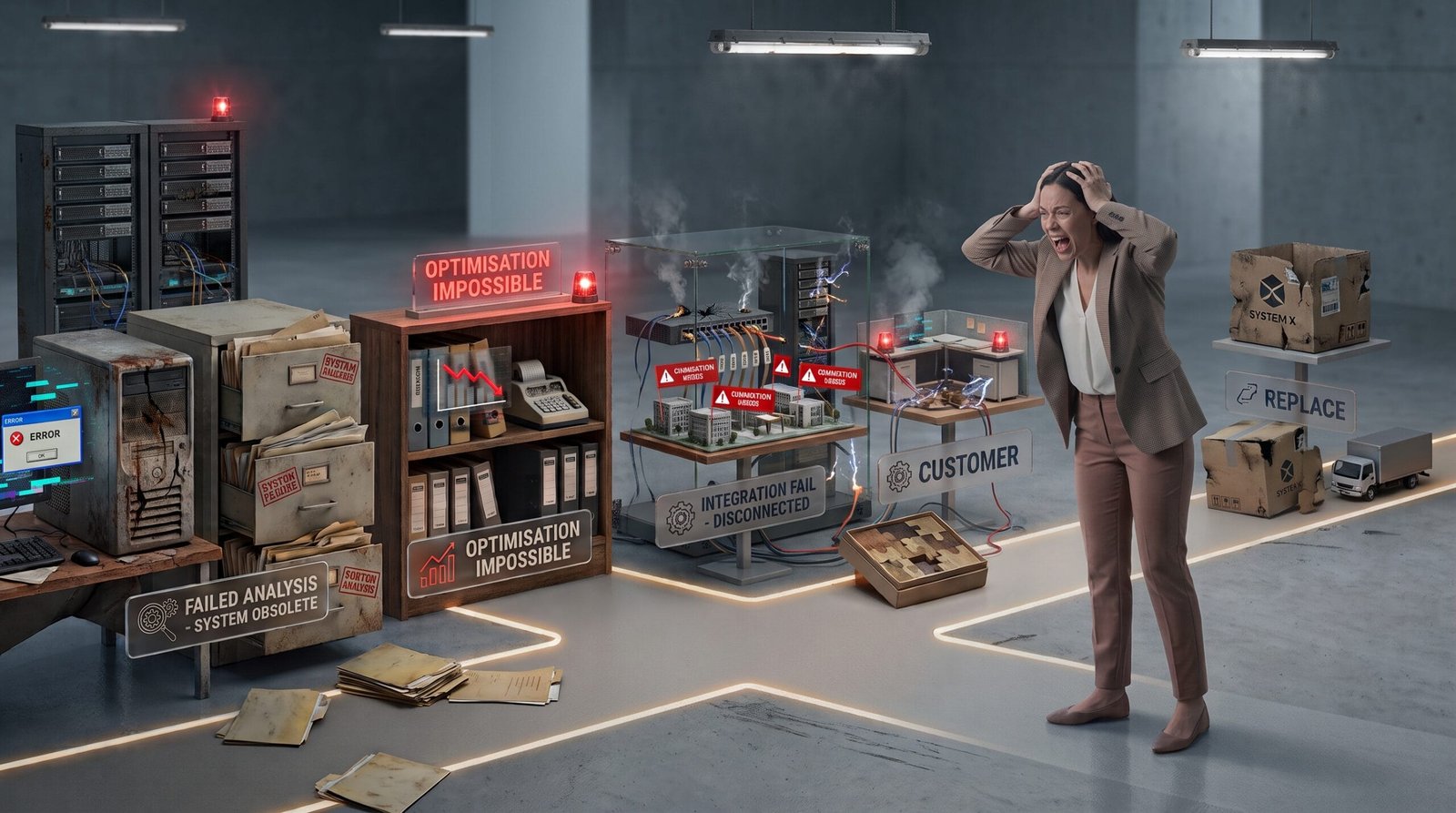
There comes a point in the growth of many businesses when software that once worked perfectly starts to fall short. Manual tasks begin to appear where they should not, employees rely on spreadsheets to complete processes the system does not support, or certain operations require increasingly more effort to achieve the same result.
This does not necessarily mean that the software is bad. The business may simply have changed.
Processes become more complex, new sales channels are introduced, the number of users increases, new systems are added or requirements emerge that did not exist when the solution was first implemented. The problem begins when the technology can no longer keep up with that evolution.
Before deciding to replace your business software, it is worth understanding what is actually happening. In some cases, an update or integration may be enough. In others, the solution may need to be customised. And when the limitations are structural, replacing the system may be the most sensible option.
How to tell if your business software has become too limited
It is not always easy to distinguish between an isolated problem and a genuine limitation of the system. However, certain warning signs appear frequently.
Your team increasingly relies on spreadsheets
If employees are constantly exporting information from the main system so they can work with it elsewhere, there may be a significant functional gap.
A spreadsheet is not necessarily a problem. It can be a perfectly useful tool for certain types of analysis. The warning sign appears when it becomes essential for completing processes that should already be covered by the main software.
The same information is entered multiple times
When someone regularly has to copy data from one system to another, there is a clear opportunity for improvement.
In addition to the time involved, duplicated data increases the risk of one version becoming outdated or containing an error.
The company's processes have changed
Perhaps the software was introduced when the business model was simpler. The company may now have more products, different sales channels, additional suppliers, more users or a different internal structure.
If the current operation constantly requires workarounds to fit within the system, it is probably time to review the situation.
Every change requires too much effort
Another common warning sign is that relatively small business changes turn into complex technical projects.
For example, adding a new approval workflow, connecting an external platform or changing how certain data is managed can become difficult because the software was not designed to evolve in that way.
Not every problem requires new software
One of the most common mistakes is assuming that when a tool no longer fits the business, the only solution is to replace it.
It is better to identify the exact limitation first.
In some cases, the problem can be solved through a configuration that was never properly implemented, an update, an available extension or an integration with another system.
For example, a company may be manually transferring ecommerce orders into its ERP. If both systems have suitable integration capabilities, there may be no need to replace either one.
The objective should be to solve the cause of the problem rather than change technology simply because the existing system feels outdated.
Four possible approaches when your software no longer fits
1. Optimise the existing solution
The first option is to review whether the current software is correctly configured and being used effectively.
Over time, systems often accumulate configurations, users, permissions and processes that no longer reflect how the business operates. It is also common for useful features to be available but never properly implemented.
A review may uncover relatively simple improvements without the need for a larger project.
2. Integrate it with other tools
When the software performs its main function well but does not cover a specific requirement, an integration may be enough.
This makes it possible to keep the existing system while connecting it to other applications so that information can be shared automatically.
For example, a CRM could be connected to the company's management system so that the sales team does not have to manually transfer certain customer or opportunity data.
Integration makes particular sense when each tool performs its own role well and the real problem is the lack of communication between them.
3. Customise the software
Some solutions allow businesses to add modules, develop specific functionality or adapt certain workflows.
This can be a good option when the core software remains suitable but the business has specific requirements that are not covered out of the box.
However, customisation is not always the best choice. If every new business requirement requires increasingly complex modifications, the system can accumulate a layer of custom code that becomes difficult to maintain.
4. Replace the system
When the limitations affect essential parts of the operation and the previous options do not provide a reasonable solution, it may be time to replace the software.
Replacing a system is usually the most demanding option because it involves analysing processes, migrating data, training users, testing the new environment and managing the transition.
For that reason, it should not be approached simply as a software purchase. It is a project that changes how the business operates.
How to decide whether replacing the software is worthwhile
The decision should start with the current problems rather than with a list of features offered by alternative platforms.
A practical way to approach the decision is to compare the cost of maintaining the current situation with the effort required to improve or replace it.
| Situation | Possible response | When it makes sense |
|---|---|---|
| Functionality is poorly configured | Optimise the current system | When the software can already solve the problem |
| Systems do not communicate | Integration | When the existing tools are still appropriate |
| Specific business requirement | Customisation | When the software can evolve without becoming unnecessarily complex |
| Structural limitations | Replacement | When the system prevents the business from evolving effectively |
There is no universally better option. The right decision depends on the importance of the problem, the software's ability to evolve and how well each alternative fits the company's objectives.
The hidden cost of keeping software that no longer fits
An old system may appear inexpensive simply because the company is already paying for it. However, continuing to use software that creates additional work also has a cost.
Consider the time spent on manual tasks, errors, internal incidents, difficulties accessing information and limitations that may affect growth.
Imagine a company that has to manually transfer information between three systems several times a day. The cost is not limited to the employee time involved. There is also the risk of entering incorrect information, delaying an order or working with data that is no longer up to date.
For this reason, the analysis should consider the complete operational cost rather than just the software licence.
What happens when the business grows faster than its software?
Growth often exposes limitations that previously went unnoticed.
A solution may work perfectly well with a small number of users, a limited product catalogue and a single sales channel. The situation changes when more customers, products, orders, departments or connected systems are introduced.
At that point, businesses may experience problems such as:
- Manual processes that were manageable before but now consume too much time.
- Greater difficulty keeping information synchronised.
- Insufficient permissions or user profiles for different roles.
- Difficulty connecting new tools.
- Reports that require data to be prepared manually.
- Excessive dependence on specific employees.
The issue is not necessarily that the software cannot handle more volume. Its architecture or operating model may simply no longer match the complexity of the business.
Before replacing the software, analyse the processes
A technology change is also a good opportunity to review how the company actually works.
If software is replaced without changing the processes that create the underlying problems, there is a risk of transferring the same inefficiencies to a new system.
For example, if four employees currently review and manually approve information because the process was never properly designed, buying a different software platform will not necessarily solve the problem.
Before selecting an alternative, it is worth documenting the current process and asking which steps are actually necessary, what information is being used, where exceptions occur and which tasks could be automated.
The new system should support a better-designed process rather than simply reproduce the old one with a different interface.
What to review before choosing new business software
If replacing the system does appear to be the right option, it is important to evaluate more than the features highlighted by each software provider.
Integration capabilities
Check how the system communicates with the tools you already use and with the systems you may need in the future.
Flexibility
A system may meet your current requirements perfectly and become restrictive relatively quickly. Consider how easily it can accommodate changes to processes, users, permissions and functionality.
Data and migration
Existing information has significant value. Before changing systems, you need to know which data will be migrated, what condition it is in and how the migration will be validated.
Usability
A powerful tool that employees struggle to use may deliver less value than a simpler solution that fits naturally into their daily work.
Maintenance and support
It is also important to understand how updates, incidents and future requirements will be handled. Software should not be considered a finished project on the day it goes live.
Common mistakes to avoid
Changing software simply because a newer tool exists
A more attractive interface or a longer list of features does not necessarily mean that replacing the system will improve business management.
Choosing based solely on price
The real cost of a solution includes implementation, migration, training, maintenance, integrations and possible future development. Comparing only the initial price can give a misleading picture.
Trying to replicate the old system exactly
If the current software contains inefficient processes, reproducing them on a new platform eliminates part of the value of the migration.
Underestimating data migration
Legacy data may contain duplicates, inconsistent formats or information that is no longer needed. Migration requires planning and validation.
Failing to prepare the team
A software change affects the people who use it. Training, communication and an adaptation period are part of the project, even though they do not appear as software features.
A gradual strategy can be safer
It is not always necessary to replace all of a company's software at once.
In some cases, it may be more sensible to address the area causing the greatest problems first, integrate existing systems and leave a complete replacement for a later stage.
This approach makes it possible to validate decisions before making a larger investment and reduces the risk of an ambitious migration disrupting the entire operation.
It can also be particularly useful when there are critical systems that cannot be replaced quickly or when the company needs to maintain normal operations while the transition takes place.
When does custom software development make sense?
Custom software development can be an alternative when standard software forces the business to adapt too much of its operations or when there is a specific process that existing tools cannot handle effectively.
That does not mean that building software from scratch is always better. A custom solution also requires maintenance, ongoing development and proper technical planning.
Its main advantage appears when it allows a company to build exactly the functionality and integrations it needs without accumulating the limitations or unnecessary adaptations of a platform designed for a different type of operation.
The decision should be made after comparing the available alternatives and understanding which parts of the problem are genuinely specific to the business.
The goal is not new software. It is better management.
When business software no longer meets the company's needs, the response should not be automatic. Replacing the system may be the right solution, but reorganising processes, optimising the existing tool, integrating applications or developing a specific feature may be enough.
The most appropriate decision depends on how the company operates today, which problems are limiting its performance and how well each alternative can support future growth.
At Orizontic, we analyse business processes and technology requirements to help companies determine which solution makes the most sense for their situation. When existing tools are no longer enough, we can also provide custom software development and integrations adapted to the way the business operates.
The best technology is not necessarily the one with the most features. It is the technology that helps the business operate more efficiently today while giving it room to evolve tomorrow.
```


