
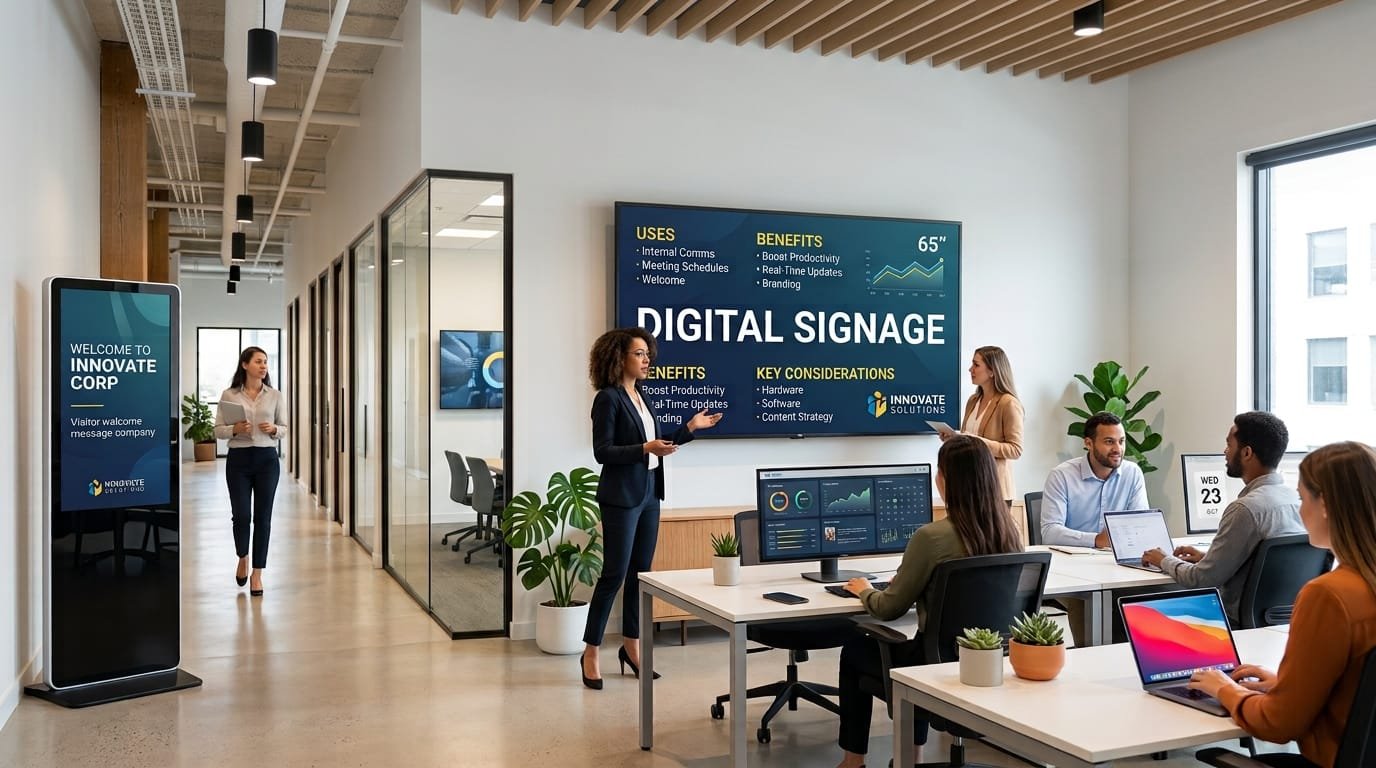
A screen installed in a reception area, shared space or meeting room can do much more than display a corporate presentation. When properly planned, digital signage for offices and businesses can become a practical communication tool for sharing information, organising spaces and keeping certain messages up to date.
The value of this type of solution is not simply about replacing printed posters with screens. It becomes more useful when information needs to change regularly, when several areas need to be managed or when a company wants to adapt its communication to a particular place or time.
For this reason, it is worth defining the problem to be solved before installing any screens. A small office with a single reception area will have very different requirements from a company with several locations, meeting rooms and a large number of employees.
What can digital signage be used for in an office?
The possibilities depend on the company's activity and available spaces, but there are several practical applications that are particularly common.
Corporate and internal communication
Screens can be used to communicate announcements, internal news, events, reminders or other information that is relevant to employees.
This can be particularly useful in shared areas where employees may not regularly check their email or internal communication tools.
Content can be organised according to time or location. For example, a screen in a shared area could display an internal announcement in the morning and later show information about an event or company activity.
Reception and waiting areas
Reception is often one of the most visible areas of an office. A screen can be used to display company information, services, directions for visitors or specific messages.
It can also help communicate with people arriving for a meeting, interview or business visit.
In these situations, content should be simple and easy to understand. A reception screen does not need to become a permanent corporate presentation.
Wayfinding within the premises
In large offices, corporate buildings or spaces spread across several floors, finding a particular room may not always be straightforward for someone visiting for the first time.
Digital signage can be used to provide directions, locate meeting rooms or communicate which activities are taking place in specific areas.
When this information changes regularly, having a digital system can make updates considerably easier.
Meeting rooms
A screen outside a meeting room can display information about the meeting currently taking place, the next scheduled activity or the availability of the room.
In companies with many shared meeting rooms, this use can be integrated with existing booking systems, provided the available technology infrastructure supports it.
This turns the screen from a simple information display into part of the company's workspace management system.
Communicating results and objectives
Some companies use screens to display internal indicators, project progress or operational information.
This type of content requires particular care. Not every type of data is appropriate for display in a shared area. When internal metrics are used, the company should determine who can see them and how frequently they are updated.
Digital signage for employees: an additional communication channel
Internal communication usually relies on email, intranets, corporate applications and collaboration tools. Digital signage does not necessarily need to replace any of these channels.
Its role can be complementary.
A screen can communicate certain messages in a visible and contextual way. For example, an announcement about a company activity can be displayed in a shared area during the hours when there is more employee traffic.
This means the message does not depend entirely on every employee opening an email or checking a specific application.
That said, not every type of internal information should be transferred to a screen. Confidential or personal information, as well as content requiring detailed interaction, needs more appropriate communication channels.
What benefits can digital signage provide for a business?
The value of a digital signage solution depends on how it is used. When there is a genuine need for dynamic communication, several benefits can be particularly relevant.
Updating content quickly
One of the main differences compared with traditional signage is the ability to modify content without printing and physically replacing materials.
This is useful when communicating opening hours, events, temporary announcements or information that changes regularly.
Managing multiple screens from one place
A company with several screens needs to avoid, where possible, managing each device independently.
Content management platforms make it possible to organise different screens and decide what information should appear on each one.
For example, a company with three floors could display a general corporate message across all of them while reserving specific information for screens in particular areas.
Scheduling content
Scheduling allows businesses to determine which content should be displayed at specific times.
This can be useful for adapting communication to the working day. One message can appear in the morning, another during a particular meeting or event, and another towards the end of the day.
Scheduling also reduces the need for staff to manually change content every time an activity changes.
Adapting information to each location
Not every visitor or employee needs to see the same information.
A screen in reception may be aimed primarily at visitors, while another in an internal area can display information for employees. A screen outside a meeting room may have a completely different purpose.
This segmentation makes digital signage more useful and prevents screens from becoming generic displays showing the same information throughout the day.
What content can an office display?
The quality of digital signage does not depend solely on the technology. It also depends on selecting and organising the right content.
Examples include:
- Internal announcements: schedule changes, general communications or reminders.
- Events: meetings, corporate activities, presentations or company events.
- Visitor information: directions, welcome messages or access instructions.
- Services: cafeteria, reception, maintenance or other internal service information.
- Corporate information: company news, projects or institutional communications.
- Directions: locations of meeting rooms, floors and specific areas.
- Visual content: images, videos or presentations adapted to the space.
There is no need to use every possible format. The selection should reflect the actual needs of the business and the purpose of each screen.
A screen is not a digital signage solution
It is easy to confuse digital signage with simply installing a television on a wall. A professional solution, however, normally requires several additional elements.
These may include a display, a device or media player that receives the content, a content management system and a way for the different components to communicate.
The least visible part is often one of the most important. The management software allows businesses to organise content, schedule it and distribute it across different screens.
This distinction matters because a company may start with a single screen and later need to manage several locations. If the initial system is not designed to scale, a seemingly simple solution can eventually become a limitation.
Digital signage for businesses with multiple offices
When a company has several locations, centralised management becomes even more important.
Imagine a company with offices in Madrid, Barcelona and Valencia. Some messages may be relevant to all locations, while others may only apply to one office.
An appropriate system should make it possible to combine both types of communication. A central team can manage general content while each office retains some flexibility to publish local information.
This avoids two common problems: having to update every screen manually and displaying information in every office that is only relevant to one location.
Can digital signage be integrated with other business systems?
In certain projects, yes. Digital signage can be connected to other company systems to display information that already exists elsewhere.
For example, a solution could use data related to meeting-room bookings, events, schedules or specific internal processes.
The value of these integrations depends on the situation. If information changes constantly and is already available in another system, automating its publication can reduce manual work and help minimise errors.
On the other hand, if a screen only needs to display a message that changes once a month, developing a specific integration may not be worthwhile.
The decision should always start with the process that needs to be improved rather than with the technical possibility of connecting systems.
Common mistakes when implementing digital signage in offices
Installing screens without defining their purpose
A screen installed in a busy area can end up displaying the same content for weeks if there is no clear communication strategy.
Before purchasing equipment, define what information needs to be communicated, who needs to see it and when.
Displaying too much information
A screen does not work like a web page. People passing in front of it usually have only a few seconds to understand the message.
As a result, overloaded content can be less effective than a simple, well-structured communication.
Using the same content everywhere
Centralised management does not mean that every screen should display exactly the same thing.
The location should determine what information makes sense. A reception screen and a meeting-room screen serve different purposes.
Not assigning responsibility for content
A digital signage solution needs clear ownership. Someone should decide what is published, review the information and remove content that is no longer relevant.
Without this responsibility, even a well-designed technology solution can end up displaying outdated information.
Ignoring maintenance
Screens, media players, network connections and management platforms require maintenance.
It is also worth defining what should happen if a screen stops working or temporarily loses its connection to the central system.
How to plan a digital signage project for a business
A project like this can start with a straightforward planning process. There is no need to define the entire technical infrastructure before understanding the actual communication requirements.
- Identify the spaces: locate reception areas, shared spaces, meeting rooms, corridors and other points where visual communication could add value.
- Define the objectives: determine whether the screens will be used to inform, guide, promote services or improve internal communication.
- Analyse the content: decide what information will be displayed and how frequently it changes.
- Review the infrastructure: check connectivity, power supply, screen placement and environmental conditions.
- Define responsibilities: establish who prepares, reviews and publishes the content.
- Assess integrations: determine whether connecting the solution to calendars, booking systems or other tools would provide practical value.
- Plan for growth: choose a solution that can accommodate additional screens or locations if requirements increase.
This approach helps prevent a common situation: having a technically correct installation that is not used consistently afterwards.
When does digital signage make sense in an office?
Not every business needs a digital signage solution.
It can make sense when information changes frequently, several areas need to be managed, the company operates from multiple locations or there is a clear need for visual communication with employees and visitors.
It can also be useful when keeping physical signage up to date requires too much work or when messages need to change according to location or time.
For a small office with little dynamic information, a simpler solution may be enough. The objective should not be to install screens simply because the technology is available, but to use them when they solve a specific problem.
Content management is as important as the technology
One of the decisions that can have the greatest impact on the result is how content will be managed after the screens are installed.
It is useful to establish a simple internal policy covering who can publish content, what type of information can appear, how long each message should remain visible and how content is reviewed.
It is also worth separating permanent information from temporary messages. This makes it easier to prevent a short-term announcement from continuing to appear after it is no longer relevant.
For businesses with multiple locations, these rules can combine centralised management with a certain degree of local autonomy.
A digital signage solution adapted to each business
Digital signage can be a useful tool for offices and businesses when it is integrated into their real communication processes. Its value does not come from having more screens, but from making sure the right information reaches the right place and can be updated without creating unnecessary work.
Before implementing a solution, it is worth analysing the spaces, content, technology infrastructure and the way the team will manage the information. More advanced projects may also require integrations with other systems or custom functionality.
At Orizontic, we can help you analyse these requirements and define a technology solution adapted to your business. You can learn more about our technology consulting services or explore our custom software development options.
The best solution is not necessarily the most complex one. What matters is that technology makes communication easier, reduces manual work and can evolve alongside the needs of the business.


