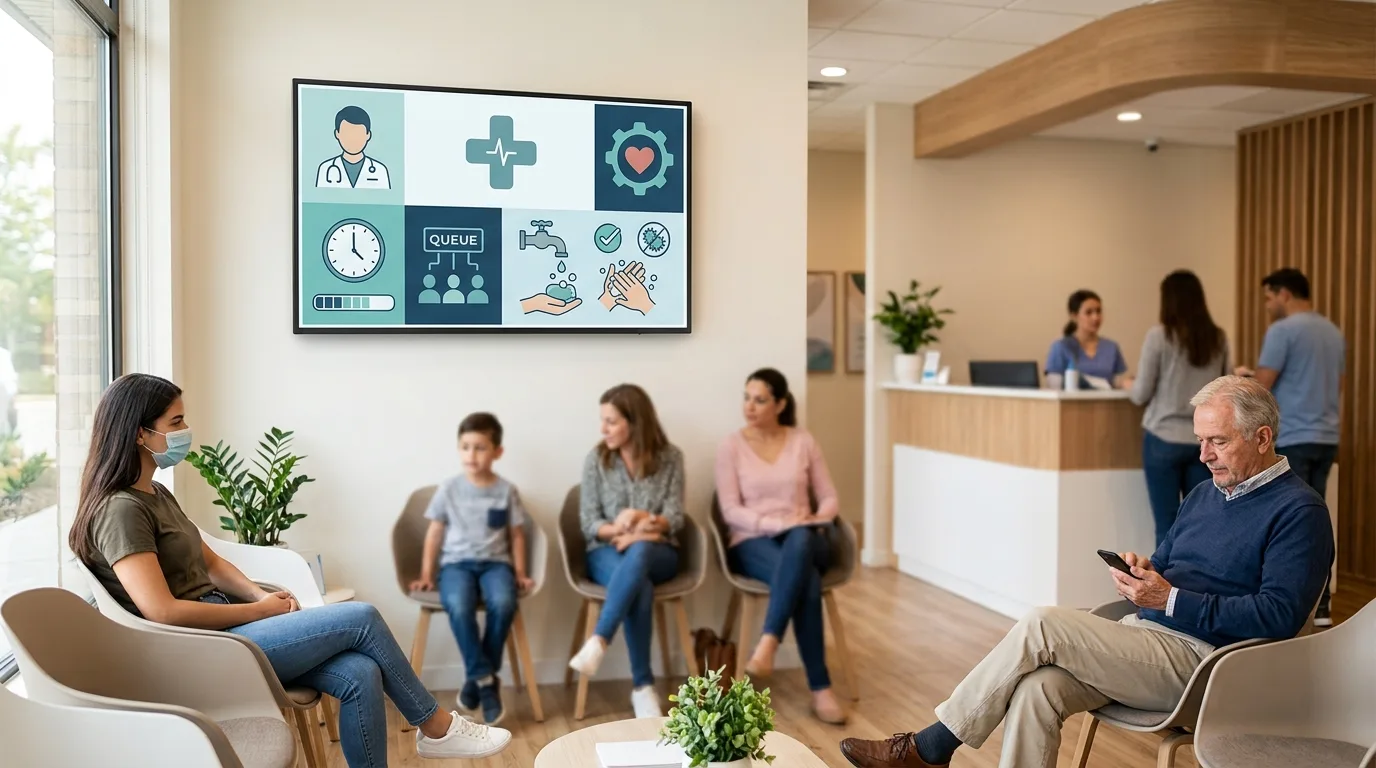
Digital signage for clinics and healthcare centres can serve a much more useful purpose than simply displaying advertising on a screen. In reception areas, waiting rooms and corridors, it can help guide patients, communicate announcements, explain services and keep information about the centre up to date.
Healthcare environments also require content to be managed carefully. Information that may be useful in a shop or office is not necessarily appropriate for a clinic. Screen placement, content type, update frequency and information protection are all factors worth considering from the beginning.
What Is Digital Signage Used for in a Clinic?
A clinic can use screens to address different communication needs. Some are directly related to the patient experience, while others concern the internal organisation of the centre.
For example, a screen at reception can display general information about services, directions to different areas or recommendations for patients. In a waiting room, it can be used to communicate useful content while people wait for their appointment.
Compared with traditional signage, one of the main advantages is that content can be changed without physically replacing printed materials throughout the centre.
Information for Patients and Visitors
Screens can display practical information such as opening hours, available services, general recommendations, directions to specific areas or temporary announcements.
This is particularly useful when information changes regularly. If a consultation room changes location for a few weeks, for example, updating the message on a screen is easier than replacing several printed signs around the centre.
Communication in Waiting Rooms
The waiting room is one of the areas where digital signage can be especially useful. Content can alternate between information about the centre's services, general recommendations, educational material and announcements.
It is worth avoiding turning this space into a constant stream of promotional messages. Someone waiting for an appointment may find clear, concise and relevant communication more useful than a screen overloaded with advertising.
Wayfinding Within the Centre
In clinics with several floors, consultation rooms or separate areas, digital signage can also help patients and visitors find their way around.
A screen at the entrance can indicate where specific departments are located, how to reach a particular area or which route to follow. In larger centres, this function can be combined with physical signage to make navigation easier.
Uses of Digital Signage in Healthcare Centres
There is no single way to use digital signage in a healthcare environment. Its usefulness will depend on the size of the centre, the number of patients, the layout of the facilities and its communication needs.
| Location | Possible uses |
|---|---|
| Reception | Services, general information, announcements and directions |
| Waiting room | Educational information, recommendations and centre content |
| Corridors | Directions, area locations and temporary messages |
| Entrance | Opening hours, practical information and general communication |
| Internal areas | Staff communication and organisational announcements |
| Multiple locations | Centralised content management with information specific to each centre |
The distribution of screens should respond to a specific need. Installing screens simply because there is available space does not guarantee that the solution will provide value.
What Benefits Can Digital Signage Provide for a Clinic?
Updating Information Quickly
One of the most obvious benefits is the ability to change content without replacing printed signs. This makes it easier to respond quickly to changes in opening hours, organisational changes, information campaigns or temporary announcements.
For example, if a clinic temporarily changes access to certain consultation rooms, the relevant screens can be updated and the message can later be removed without leaving outdated printed materials in place.
Managing Multiple Screens from One Place
A digital signage solution can make it possible to manage different screens from a central platform. This is particularly useful when a clinic has several areas or when a healthcare organisation operates multiple centres.
Not every screen needs to display the same content. The reception area can have different information from a waiting room or an internal area intended for staff.
Scheduling Content
Scheduling makes it possible to define when specific content should appear. For example, certain messages can be displayed only during opening hours, while a particular campaign can remain active for a defined period.
This reduces the need for constant manual changes and helps maintain a more organised content schedule.
Adapting Communication to Each Space
The same message does not necessarily work equally well in every area. A screen in reception can focus on general information, while one in a waiting room can display educational content or recommendations for patients.
This segmentation makes screens more useful and prevents the entire centre from becoming a single, undifferentiated communication channel.
What Content Can a Clinic Display?
Content should be designed around the healthcare environment and the real needs of the people visiting the centre.
Common options include:
- Information about services and departments.
- Opening and appointment hours.
- Directions to consultation rooms and areas.
- Temporary announcements.
- General recommendations for patients.
- Educational information about specific services.
- Information campaigns run by the centre.
- Information about facilities and additional services.
- Welcome messages.
- Content intended for staff in internal areas.
In all cases, content should be easy to read and the main information should be understandable without requiring people to remain in front of the screen for a long time.
Digital Signage and Privacy in Healthcare Environments
Privacy deserves particular attention when communication technology is installed in a clinic or healthcare centre.
A public screen should not be used to display information that unnecessarily identifies a patient or reveals details about their healthcare. If digital signage is going to be integrated with other systems used by the centre, it is important to carefully assess what information is transmitted, who can see it and for what purpose.
This also applies to seemingly simple features. For example, displaying information about patient numbers or calls requires the system to be designed so that the communication does not reveal more information than necessary.
Technology should be adapted to the privacy and security requirements applicable to the healthcare environment rather than adding integrations without first considering their implications.
Can Digital Signage Be Integrated with Other Systems?
Yes. Depending on the solution being used, screens can form part of a broader technology ecosystem.
For example, a clinic could integrate its digital signage system with a management platform to obtain specific information and display it on screen. It may also be useful to connect the platform with calendars, internal communication systems or content management tools.
However, an integration should not be implemented simply because it is technically possible. It is important to first define what information is required, where it comes from, how often it needs to be updated and what controls should be applied.
When a project has specific requirements, custom software development may be necessary to connect different systems correctly and adapt the solution to the centre's processes.
What Does a Clinic Need for a Digital Signage Solution?
A screen on its own does not constitute a complete digital signage system. Several components normally need to work together.
Screens
They are the visible point of contact with patients, visitors or employees. Their size, location, orientation and specifications should be selected according to the space where they will be installed.
Media Players or Devices
Depending on the technology being used, each screen may require a connected device that receives and plays the content.
Content Management Software
This is the part of the system used to organise content, create schedules, distribute information and manage different screens. In installations across multiple locations, this layer becomes particularly important.
Connectivity and Maintenance
Network infrastructure and device stability are also part of the project. A screen that frequently loses its connection or stops updating its content can create more problems than it solves.
Common Mistakes When Implementing Digital Signage in a Clinic
Using Screens as Simple TVs
A screen displaying static content or videos without a clear purpose does not necessarily take advantage of digital signage capabilities. Its value comes from having an appropriate content strategy and effective management.
Overloading Patients with Information
Displaying too many messages at the same time makes content harder to read. It is better to prioritise genuinely useful information and keep content simple, especially in areas where people only stay for a few minutes.
Not Defining Who Manages the Content
Before implementing the system, it is important to decide who will be responsible for updating information, reviewing messages and removing content that is no longer valid.
Using the Same Schedule Everywhere
A clinic may have areas with very different needs. Using exactly the same content in reception, corridors and waiting rooms can reduce the usefulness of the screens.
Forgetting About Maintenance
The project does not end when the screens start working. Updates, connectivity, device checks, incident management and regular content reviews also need to be considered.
How to Plan a Healthcare Digital Signage Project
Before choosing screens or software, it is worth starting with the centre's communication needs.
- Identify areas where there is a genuine need for information. Not every area needs a screen.
- Define what information should appear in each space. Location influences content.
- Determine who will manage the platform. There should be a person or team responsible for keeping information up to date.
- Review integration requirements. If the solution needs to connect to other systems, this should be assessed before selecting the technology.
- Consider security, privacy and maintenance. These aspects should be part of the project from the beginning.
- Start with a reasonable scope. An initial installation in the most relevant areas makes it possible to assess which content and features actually provide value.
This approach also makes it easier to expand the solution later. A clinic can start with reception and waiting rooms and, if the system proves useful, extend it to other areas or additional locations.
When Does Digital Signage Make Sense for a Clinic?
Digital signage can make sense when a centre needs to update information frequently, has several areas requiring different types of communication or operates across multiple locations that need to be managed in a coordinated way.
It can also be useful when printed information becomes outdated easily or when there is a clear need to improve wayfinding and communication within the centre.
For a small facility with little information to update, however, a simple traditional signage solution may be sufficient. Technology should respond to a specific need rather than become an objective in itself.
A Solution Adapted to the Centre's Needs
In a healthcare environment, digital signage should fit into the way the centre operates. The choice of screens, software, connectivity, content management and integrations should reflect how the solution will actually be used.
For this reason, it is worth analysing the facilities, communication processes and existing technology requirements before implementing a system. Technology consulting can help define the scope of the project, identify integration requirements and assess which architecture is most appropriate.
The goal is not to fill a clinic with screens, but to use technology where it can improve information, organisation and the experience of the people using the centre.
Conclusion
Digital signage for clinics and healthcare centres can be a useful tool for communicating information, guiding patients and visitors, managing announcements and keeping certain content up to date.
Its effectiveness depends less on the number of screens than on how the system is designed. Location, content, centralised management, integrations, privacy and maintenance all need to be considered together.
When there is a clear need and the project is designed around the reality of the centre, digital signage can become a useful part of its technology infrastructure, providing flexible management and room for future requirements.