
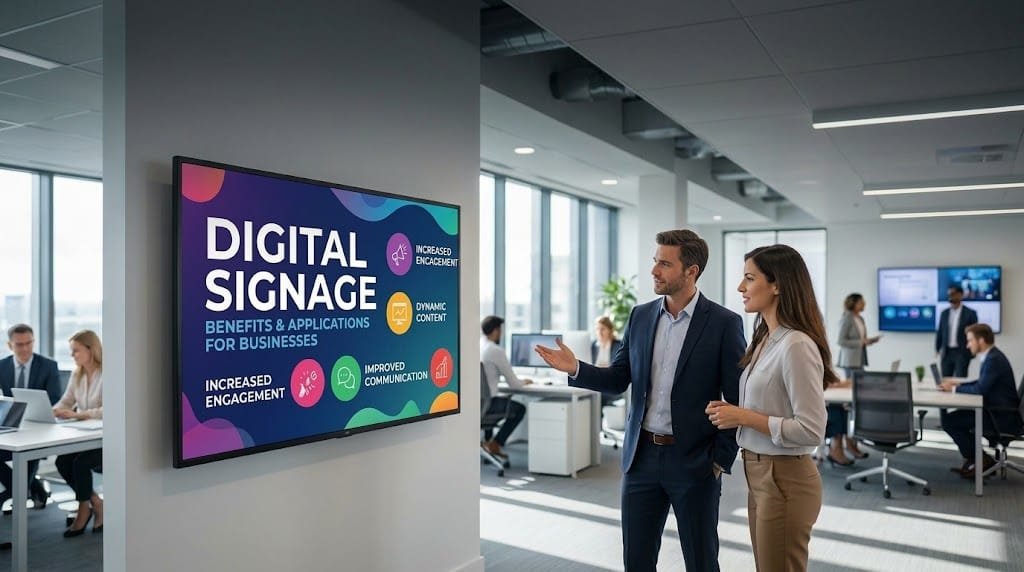
Digital signage for businesses can serve very different purposes depending on the environment: presenting products, informing customers, communicating internal messages, displaying queue information or even showing data from other business systems.
The technology makes it possible to update content without replacing physical materials and, when several screens are involved, manage different locations from a centralised platform. However, the outcome depends on more than the equipment itself. Content, management, connectivity and integration with business processes also play an important role.
For this reason, before planning a digital signage project, it is worth identifying the problem that needs to be solved. A screen can be a simple information display or become part of a much broader technology system.
What can digital signage bring to a business?
The main difference compared with traditional signage is the ability to manage content digitally. A business can change a promotion, update opening hours or replace a communication without printing a new poster or physically visiting every location.
This flexibility is particularly useful when information changes frequently or when several screens need to display different content.
Digital signage also makes it possible to adapt communication to the context. A screen located in a reception area may have an informative purpose, while another positioned next to a product may have a commercial objective.
Main benefits of digital signage for businesses
Update information quickly
One of the most obvious benefits is the ability to modify content whenever necessary. An expired promotion, a change in opening hours or a new service can be reflected on screens without replacing printed materials.
This is particularly useful for businesses where information changes regularly. It also makes it easier to manage temporary campaigns, events and specific communications.
Manage multiple screens from one place
When a business has a single screen, management can be relatively simple. The situation changes when several locations are involved.
A digital signage platform can allow different devices to be managed from one environment, assigning specific content to individual screens or groups of screens.
For example, a company with stores in several cities could maintain a common corporate campaign while displaying location-specific information at each store.
Schedule content
Scheduling makes it possible to decide when specific content should appear. This reduces the need for constant manual changes and allows messages to be adapted to different times of the day.
A restaurant could display certain products during lunch service and change the content in the afternoon. A retailer could highlight different product categories depending on the time or current campaign.
Scheduling does not need to be complicated. The important point is that it should respond to a genuine business requirement rather than adding unnecessary management work.
Reduce manual tasks
Traditional signage often requires materials to be prepared, printed, distributed and replaced. In an organisation with multiple locations, these activities can consume time and create opportunities for errors.
Digital management can centralise part of this work. If content can also be generated from information that already exists in other systems, repetitive tasks can potentially be reduced even further.
Adapt communication to each location
Not every branch or site has the same requirements. A digital solution allows businesses to maintain common content while adding information specific to each location.
This can be useful for retail chains, franchises, offices with different departments or companies operating across multiple facilities.
Applications of digital signage in business
The use of digital screens is not limited to advertising. Depending on the business activity, they can become a commercial, operational or internal communication tool.
Retail stores and shops
In retail, digital signage can be used to highlight products, communicate promotions, explain features or present information about available services.
It can also help create different communication areas within a store. A screen near the entrance could display general campaigns, while another next to a specific product category could provide more relevant information.
Restaurants and hospitality
Digital menus are one of the best-known applications. They make it easier to update products, prices, availability or promotions without changing printed materials.
They can also be used to display additional content during periods when customers are not actively viewing the menu, provided that this serves a clear purpose for the business.
Offices and corporate environments
Businesses can use screens to communicate announcements, internal information, events, indicators or corporate content.
A screen located in a shared area can reduce the need to communicate certain information repeatedly through other channels, although the appropriate communication channel should always depend on the type of message.
Reception areas and customer service
Digital signage can also help visitors find their way, provide information about services, display instructions or support certain customer service processes.
In these situations, clarity is particularly important. A screen designed to help someone navigate a building should prioritise useful information rather than purely decorative elements.
Healthcare and other service environments
In facilities where people move through different areas, screens can be used to communicate instructions, queue information, opening hours or general information.
The system should be designed around the actual environment and the information users need. Not every location requires the same type of content or the same level of automation.
Industrial environments
In certain industrial facilities, screens can display operational information, notices, indicators or communications aimed at employees.
When this information comes from other business systems, digital signage can become an additional interface for displaying data already generated as part of day-to-day operations.
Internal digital signage: beyond marketing
One application that is sometimes overlooked is internal communication.
A business can use screens to display information relevant to employees, such as announcements, events, reminders, indicators or information related to particular areas of work.
This can be particularly useful in environments where employees do not spend most of their working day in front of a computer. In these situations, a screen can act as an accessible communication channel in shared or high-traffic areas.
However, it should not necessarily replace every other internal communication channel. Its usefulness depends on whether the content is relevant and whether employees understand what information they can find there.
Can digital signage be integrated with other business systems?
Yes, and this possibility can significantly expand its applications.
A simple solution may rely on manually prepared content. However, some businesses need to display information that changes frequently and already exists in their applications.
For example, a company may have an internal system containing product information. Instead of maintaining a separate database for its screens, the business could integrate the systems so that selected information is used to generate or update the content displayed to customers.
The same approach can be applied to management systems, databases, internal applications or custom-built software.
The advantage of this approach is that it reduces duplicated information. If a piece of data already exists in a reliable system, there may be little reason to maintain a second manual version specifically for the screens.
However, integration should not be introduced simply because it is technically possible. It is important to analyse which data needs to be displayed, how often it changes and what should happen if the source system becomes temporarily unavailable.
What does a digital signage solution need?
The project can vary considerably depending on the number of screens and their purpose, but several components are normally involved.
- Displays: selected according to the environment, brightness, viewing distance and operating hours.
- Media players: devices responsible for receiving and playing content when the display does not provide this capability itself.
- Management software: used to organise content, screens, users and schedules.
- Connectivity: required to distribute updates and keep devices connected to the management system.
- Content: images, videos, information, promotions and other resources displayed to customers or employees.
- Maintenance: procedures for handling issues and checking that devices continue to operate correctly.
For small installations, these elements can remain relatively simple. In larger networks, architecture and management become much more important.
What should you consider before implementing digital signage?
Before choosing a platform or buying equipment, it is worth answering a few basic questions.
What is the purpose of the screens?
Informing, selling, guiding visitors, communicating internally and displaying data are different objectives. Defining the purpose first helps prevent decisions based solely on technical specifications.
Who will manage the content?
If nobody is responsible for this task, screens can easily end up displaying outdated information.
It is also worth deciding whether content management will be centralised or whether different users will be responsible for particular locations.
How frequently will the information change?
A screen whose content changes once a month does not have the same requirements as one that needs several updates a day.
Does it need to connect to other systems?
If the answer is yes, it is advisable to identify the applications involved and the information that needs to be exchanged from the beginning.
What happens if the connection fails?
A professional solution should also account for technical issues. Depending on the environment, it may be important for a screen to continue displaying content even if it temporarily loses its connection to the management system.
Common mistakes in digital signage projects
One of the most common mistakes is thinking about the screen first and its purpose afterwards. Hardware matters, but it does not solve a communication requirement by itself.
Another problem is overcrowding screens with information. A user who spends only a few seconds looking at a display is unlikely to read a long or complicated message.
A business may also automate content distribution without defining who is responsible for reviewing the information. Automating the publication of incorrect content does not improve a process.
Finally, it is worth avoiding solutions that are more complex than necessary. A single screen displaying static content may require a completely different infrastructure from a network of connected devices integrated with business systems.
When is a digital signage solution worth considering?
Digital signage can be particularly useful when a business needs to update content frequently, manages multiple locations, uses different messages depending on the time or wants to reduce the work involved in replacing printed materials.
It can also provide greater value when it forms part of a connected process. If a screen needs to display information from other systems, the solution can be designed so that visual communication is fed by data the business is already using.
However, not every business needs an advanced platform. If there is a single screen, the content rarely changes and there is no need for remote management or system integration, a simpler solution may be sufficient.
How to approach a digital signage project without making it unnecessarily complex
A good way to start is by defining one specific use case. For example, a company may want to replace printed posters in a reception area with a screen displaying corporate information and announcements.
From there, the actual requirements can be assessed: update frequency, responsibilities, location, connectivity and maintenance.
If the project works and new requirements appear, the solution can be expanded later. This approach helps avoid unnecessary investment and makes it possible to understand the real value of the technology within the organisation.
When the project also requires screens to connect with existing applications or a specific management tool to be developed, it is worth looking at the solution from a broader technology perspective. Orizontic's technology consulting service can help define requirements, assess alternatives and plan a solution aligned with the company's processes.
When those requirements do not fit a standard platform, specific components or a custom application may also be necessary. In these cases, custom software development can adapt the solution to the business's existing processes and systems.
Digital signage should solve a specific business need
The benefits of digital signage are not simply about replacing paper with screens. Its real potential appears when it makes a task easier, improves the way information is communicated or connects a visual channel with other business processes.
For some organisations, it will primarily be a commercial tool. For others, it will have an informative, internal or operational role. In certain projects, it can even become a component connected to several business systems.
For that reason, the decision should always start with how the technology will be used. Defining the need first and then choosing the hardware, software and integrations makes it easier to build a solution that is simpler to manage and better aligned with the company's actual operations.


