
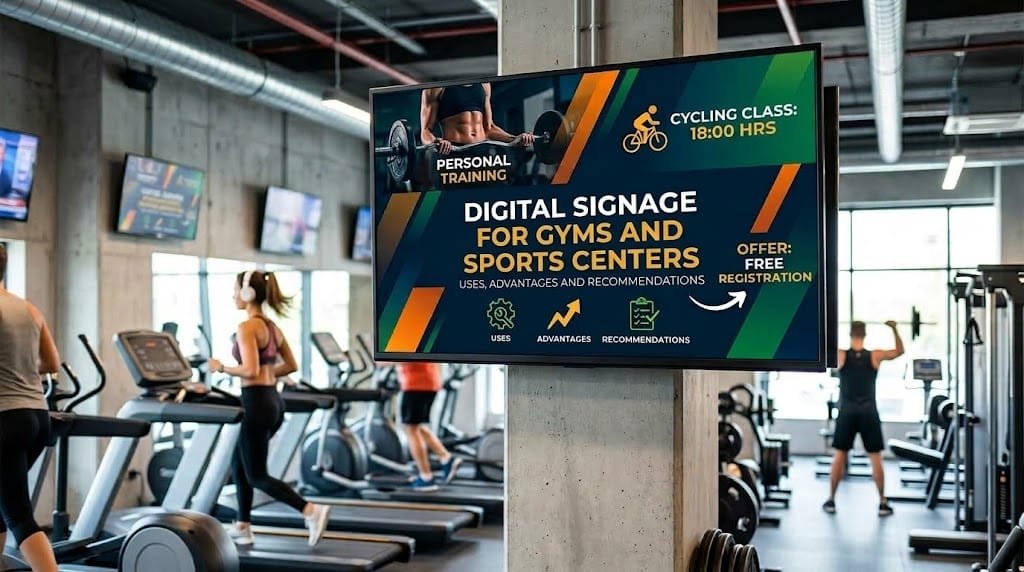
Gyms and sports centres have information that changes constantly: group classes, schedules, special activities, announcements, promotions, usage rules and the availability of certain services. Keeping all these messages up to date can be difficult when relying exclusively on printed posters or occasional communications.
Digital signage for gyms and sports centres provides a flexible communication channel that can adapt content according to the area, time of day or type of information that needs to be communicated.
Its usefulness, however, is not simply a matter of putting a screen at reception. To provide real value, it is necessary to define what information should be displayed, where it makes sense to show it and how it will be managed when it changes.
What is digital signage used for in a gym?
A sports centre has different points of contact with its users. Reception areas, weight rooms, training areas, changing rooms and activity studios all have different communication needs.
This variety means that screens can be used for very different purposes.
Class and activity schedules
One of the most obvious uses is displaying the schedule of group classes, guided activities, training sessions and other activities.
Information can be organised by day and time so that users can quickly see which activity is available and where it takes place.
If the schedule changes frequently, having a digital system makes it possible to update timetables without constantly replacing printed posters.
Information about services
A gym may offer many additional services, such as personal training, physiotherapy, nutrition, special activities, recovery areas or services included with certain membership plans.
Screens can be used to explain these services visually and communicate how users can access them.
The information should be adapted to the location. For example, a screen near the training area may be more useful for communicating exercise-related activities than administrative information.
Announcements and user communications
Sports centres need to communicate temporary changes, closures of specific areas, schedule modifications or reminders related to the use of their facilities.
Digital signage can complement other communication channels and make certain announcements visible in the locations where they are most relevant.
Promotions and campaigns
Screens can also be used to communicate promotions, membership campaigns, special activities or additional services.
In this case, it is particularly important to control the frequency of promotional messages. A screen that constantly displays promotions may eventually lose its usefulness as an information channel.
Usage rules
Certain areas may require specific information about how they should be used. A screen can communicate rules, recommendations or instructions in a visual format.
This can be particularly useful when instructions change or when the message needs to be adapted to a specific area of the centre.
Digital signage according to the area of the sports centre
Not every screen should display the same content. The location affects both the type of information and the amount of time users have to view it.
| Area | Possible uses |
|---|---|
| Reception | Schedules, welcome messages, promotions, activities and general announcements. |
| Activity studio | Class schedules, timetable changes and communications related to sessions. |
| Training area | Services, recommendations, activities and training-related content. |
| Changing rooms | Announcements, usage rules and practical information. |
| Corridors and walkways | Short information, promotions, events and general communications. |
| Waiting areas | Services, news, activities and audiovisual content. |
This distribution helps avoid one of the most common problems with digital signage: treating every screen as though it served the same purpose.
What benefits can digital signage provide for gyms?
The benefits depend on the needs of each centre, but some aspects are particularly useful when information changes frequently.
Update schedules and announcements quickly
A schedule change can make a printed poster outdated. With a digital system, content can be modified through the management platform without physically replacing the material.
This is particularly useful for occasional changes, special activities or modifications during certain periods of the year.
Manage multiple screens centrally
A sports centre may have several areas and, in some cases, multiple facilities. Updating each screen independently can create unnecessary work.
A centralised platform allows the business to decide what content appears on each device and modify it from a single environment.
It can also make management easier as the centre grows and needs to add new screens.
Schedule content
Scheduling makes it possible to display different messages depending on the time or day.
For example, a screen can display morning classes during the first hours of the day and later switch to show afternoon activities.
It can also be used to schedule temporary campaigns without having to intervene manually every time a promotion starts or ends.
Communicate information at the right time
Context matters. Information that is useful at reception may not make sense in a training room.
Digital signage makes it possible to distribute messages according to location and adapt communication to the specific needs of each area.
Reduce some manual work
When a business uses several physical materials to communicate information that changes regularly, keeping everything up to date takes time.
Centralising certain types of content can reduce these tasks and make it easier to manage changes in a more controlled way.
What content can a sports centre display?
A digital signage strategy can combine different types of content. Some of the most common include:
- Schedules: group classes, activities and services.
- Announcements: temporary changes, closures or schedule modifications.
- Promotions: campaigns, additional services or special activities.
- Practical information: usage rules, directions and recommendations.
- Services: personal training, nutrition, physiotherapy or other services.
- Events: competitions, special sessions, workshops or other activities.
- Audiovisual content: videos, images and corporate communications.
There is no need to display all of this content on every screen. The selection should reflect the purpose of each location.
Digital signage and the user experience
Communication is part of the experience a person has inside a sports centre. Knowing when a class starts, where an activity takes place or which service is available can prevent questions and make it easier to use the facilities.
This does not mean that screens should replace staff. Instead, they can support employees by giving users access to basic information without requiring them to ask a member of staff every time.
For example, someone arriving at the gym can check the schedule of upcoming classes at reception. If a change occurs later, the same information can be updated without removing posters or manually modifying several communication materials.
The goal is to make information accessible without adding unnecessary complexity to the user's journey.
Can digital signage be integrated with a gym's system?
In certain projects, the answer can be yes. A digital signage solution can be integrated with other systems if those systems provide the necessary mechanisms for exchanging information.
One possible application would be to automatically display information related to class bookings, scheduled activities or the availability of specific areas.
It may also be possible to connect digital signage to internal systems so that staff do not have to enter the same information into different platforms.
However, an integration is not always necessary. If content changes only a few times a month and can easily be managed through a platform, a simpler solution may be sufficient.
The decision should be based on the process that needs to be improved and the volume of information being managed.
What does a digital signage solution need?
Behind a digital signage screen there are several components that need to work together.
Screens
The type of screen will depend on its location, viewing distance, size of the space and environmental conditions.
A screen installed at reception does not necessarily have the same requirements as one installed in an area with intense lighting or in a space where it may be exposed to specific physical conditions.
Players or devices
Depending on the solution, each screen may require a device responsible for receiving and playing the content.
The specific configuration will depend on the platform being used and the characteristics of the project.
Content management software
The management system allows businesses to organise content, create schedules and decide what information appears on each screen.
This component becomes particularly important as the number of devices increases or when different areas have different communication needs.
Connectivity
Screens need to communicate with the system that manages their content. The available network infrastructure therefore needs to be considered during the planning stage.
It is also worth considering what happens if a screen temporarily loses its connection. A well-designed solution should be able to continue displaying available content and restore synchronisation once connectivity returns.
Common mistakes when installing digital signage in a gym
Installing screens without a clear purpose
A screen can quickly become little more than a decorative element if there is no content strategy behind it.
Before installing one, it is worth defining what problem it is intended to solve and what information the person standing in front of it needs to receive.
Displaying too many messages
People who are exercising or moving around the centre do not always have time to read large amounts of information.
Content that is too dense can be difficult to understand. It is better to adapt the message to the amount of time available for reading.
Using every screen for the same purpose
A reception screen, one located next to the activity studios and another in the changing rooms serve different functions.
Centralised management should make it possible to adapt content to each space rather than simply displaying the same information everywhere.
Forgetting to update content
An expired promotion or incorrect schedule can create confusion and affect the user's perception of the centre.
It is important to define who reviews the content and how temporary messages are removed.
Ignoring maintenance
In addition to the content itself, screens, devices, connections and software need to be maintained.
It is also useful to establish a procedure for detecting issues and quickly restoring a screen that has stopped working.
How to plan a digital signage project for a sports centre
Planning should begin with the centre's needs rather than with the choice of screens.
- Analyse the areas: identify reception, studios, corridors, changing rooms and other spaces where communication could provide value.
- Define objectives: decide whether screens will be used to inform, guide, promote services or improve communication with users.
- Classify content: separate permanent information, temporary announcements, schedules and campaigns.
- Determine the update frequency: identify which information changes daily, weekly or occasionally.
- Review the infrastructure: check the location, power supply, connectivity and conditions of the space.
- Define responsibilities: establish who prepares, reviews and publishes content.
- Assess integrations: determine whether information stored in other systems could be used automatically.
- Plan for future needs: make sure the solution can grow if new screens or facilities are added.
This approach helps avoid investments that are not properly used later and makes it easier for the solution to adapt to the centre's actual way of working.
Digital signage for gym chains and multi-site sports centres
When a company manages several sports centres, the need to centralise communication may become more important.
A chain may need certain campaigns to appear across all its locations, while schedules and activities may vary from one facility to another.
A centralised management system makes it possible to combine both levels. Corporate content can be managed from a shared platform, while each centre can manage the local information relevant to its own activities.
This also makes it easier to maintain a consistent visual identity and communication structure without preventing individual facilities from displaying local information.
When is digital signage worth considering for a gym?
Digital signage can make sense when a centre manages dynamic information, has several communication areas or needs to update schedules, activities and announcements frequently.
It can also be useful for gym chains or businesses with multiple facilities, where centralised management can reduce manual tasks.
For a small centre with few services and very stable schedules, a simple solution may be enough. Not every communication need justifies a complete digital signage infrastructure.
The right question is not how many screens a gym can install, but what information it needs to communicate and whether technology can deliver that information in a more practical way.
Content management is part of the project
Installing the screens is only one part of the solution. Day-to-day performance will depend to a large extent on how information is managed.
It is worth establishing who can publish content, how long each message should remain on screen, how schedules are reviewed and who is responsible for removing a promotion when it ends.
It can also be useful to separate permanent content from temporary messages and establish a basic plan to prevent screens from displaying exactly the same messages indefinitely.
With a clear structure in place, the technology becomes much easier to manage and the system can remain useful over the long term.
A digital signage solution adapted to the sports centre
Digital signage for gyms and sports centres can improve the way schedules, services, activities and announcements are communicated, provided it is designed around the actual needs of the facility.
Before choosing equipment or platforms, it is worth analysing the spaces, content, update frequency and available infrastructure. For more advanced projects, it may also be useful to connect the solution to other systems or develop specific functionality.
At Orizontic, we can help analyse these requirements and assess how to integrate a digital signage solution into your company's technology infrastructure. You can explore our technology consulting services or learn more about our custom software development options.
The goal should not be to fill a gym with screens, but to use technology where it genuinely improves communication, reduces manual tasks and makes the centre easier to manage.


